See who’s free today
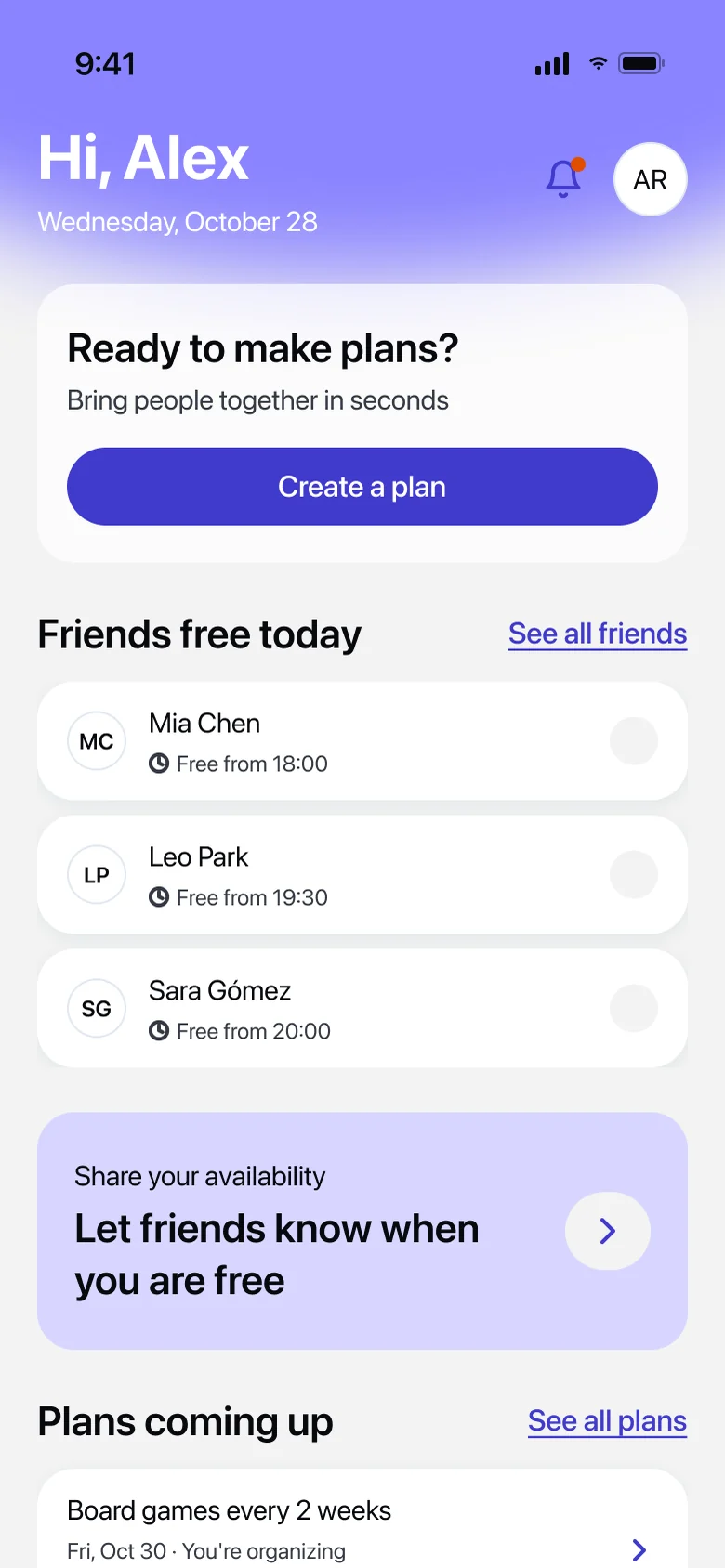
Your Home shows which friends are free today and the plans coming up next.
How it works
From “who’s free?” to “see you there” in a few taps. Here’s everything WhenUp does, step by step.
01
Tell your friends when you’re free once, and stop answering “when works for you?” over and over.
Your Home shows which friends are free today and the plans coming up next.
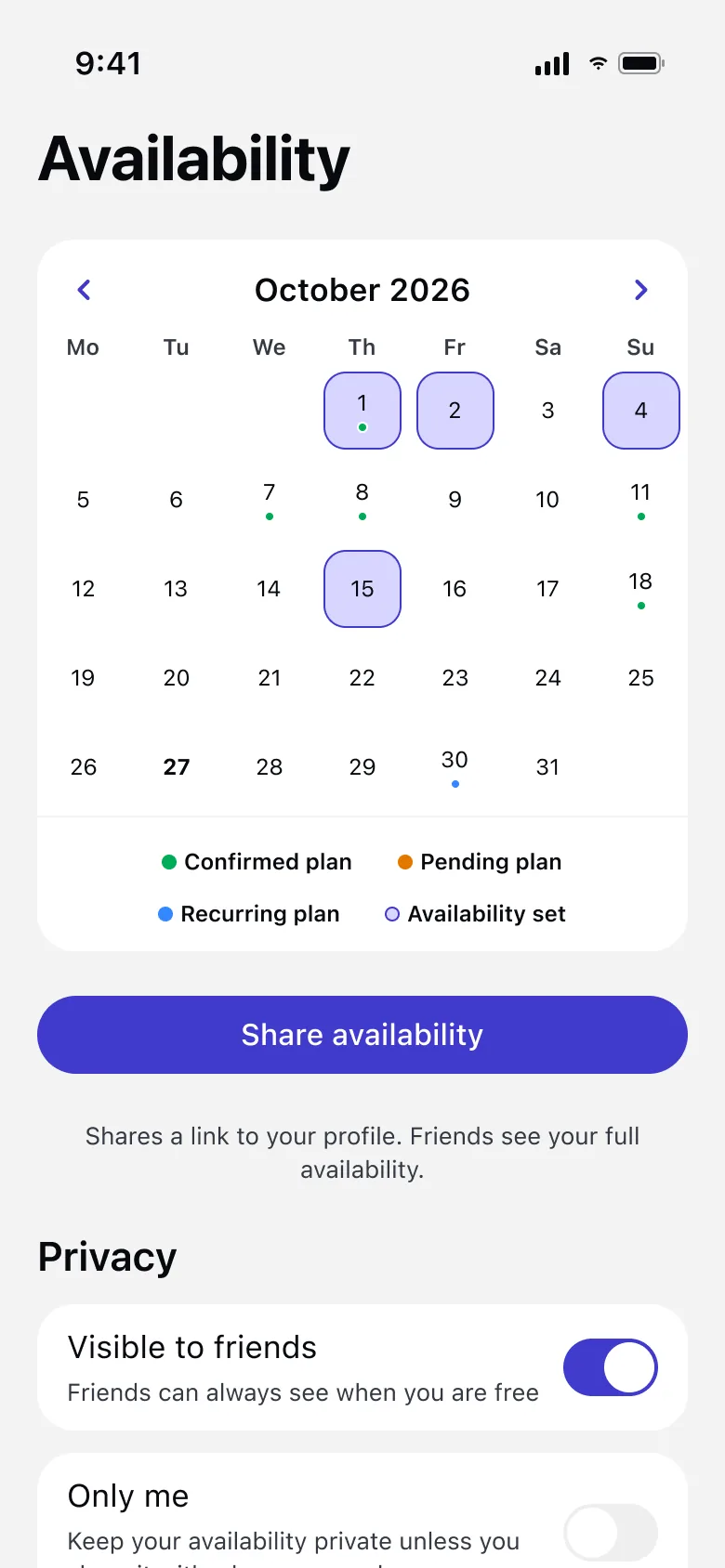
Tap a day in your calendar and add the hours you’re free. It takes seconds.
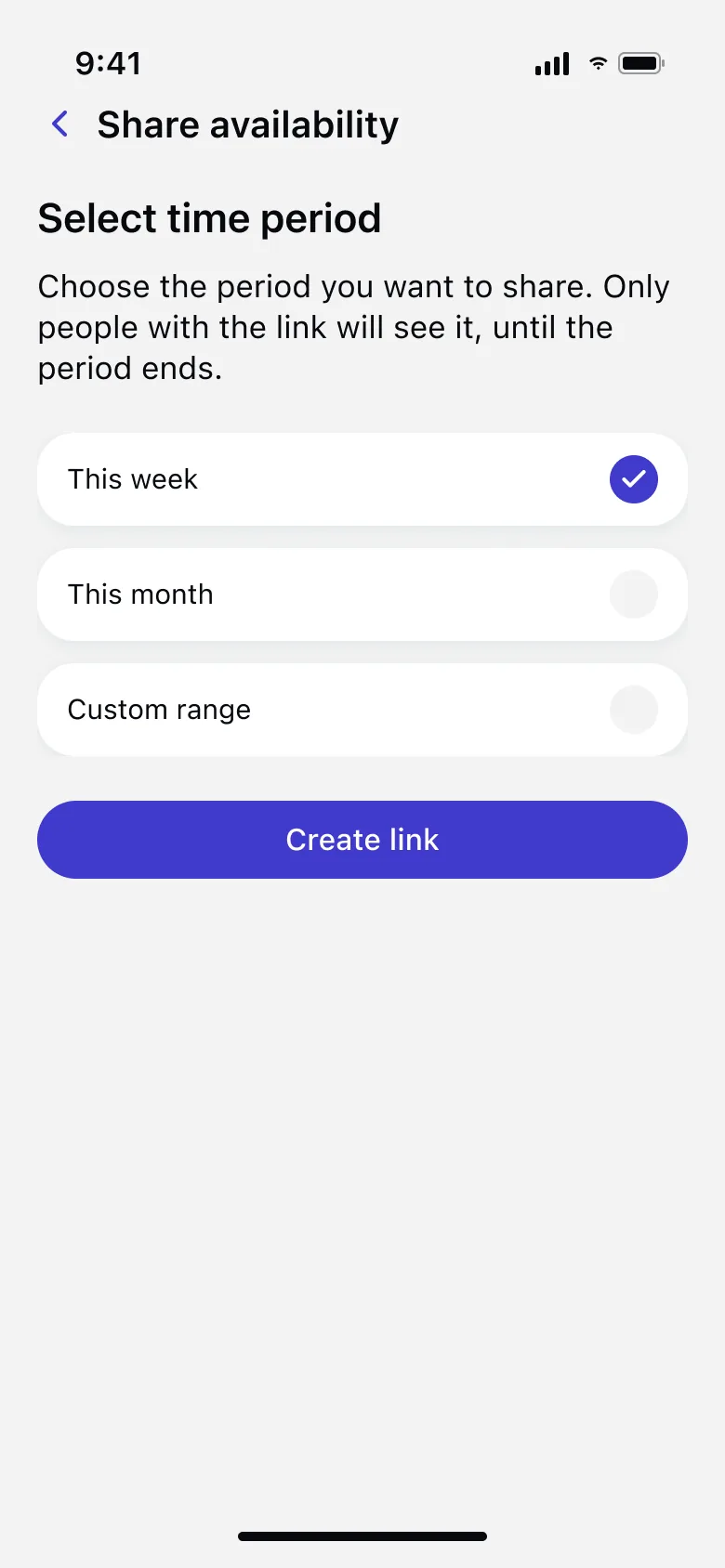
Keep your availability private and share a link for just the week you choose.
02
Name it, pick who’s coming and choose how to set the date: yourself, with a vote, or let WhenUp suggest it.
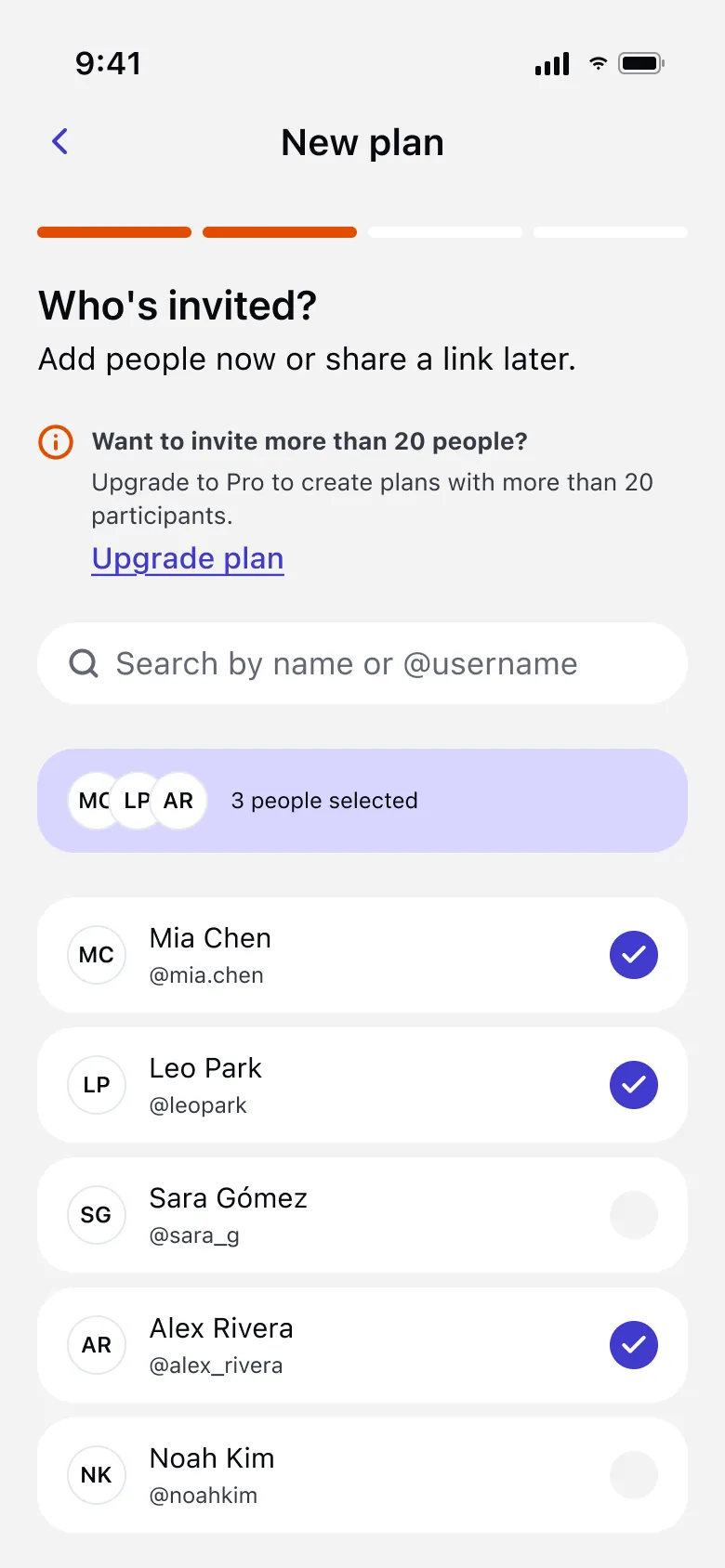
Choose friends for your plan: groups of up to 20 people, or 100 with Pro.
Auto vote crosses everyone’s availability and suggests up to 4 slots where most people are free.
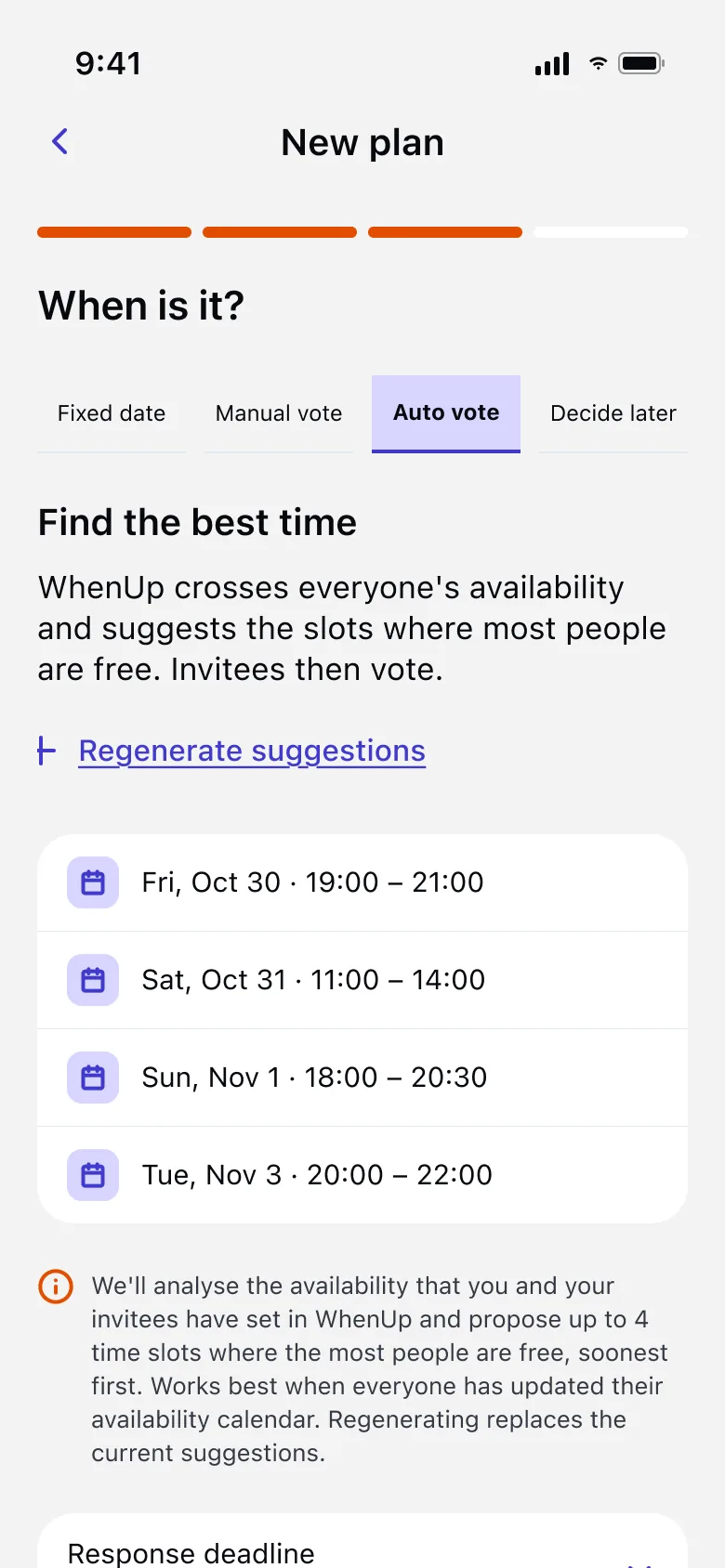
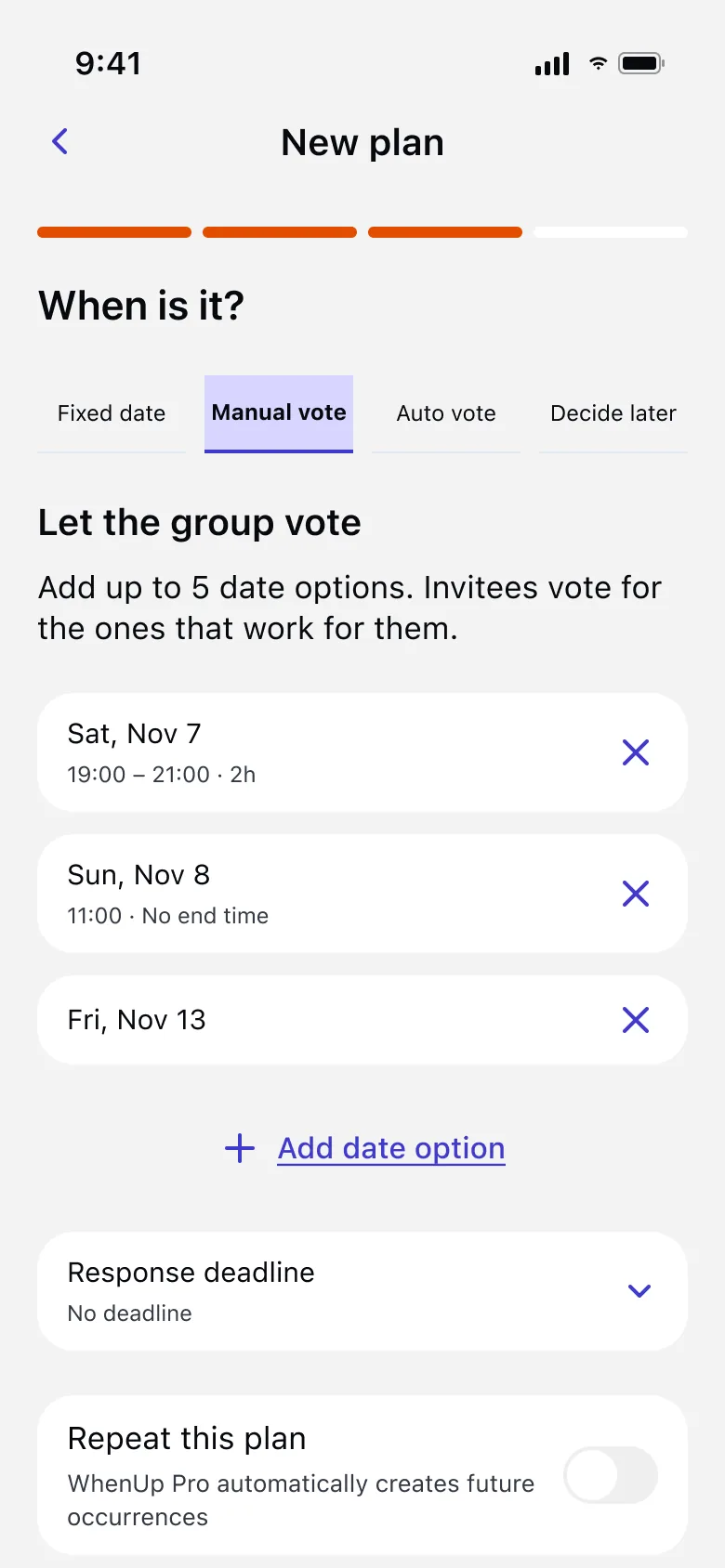
Set a fixed date, add up to 5 options for a vote, or decide later.
03
Everyone answers with one tap. You confirm the winner and the plan is set for the whole group.
Friends tap the option that works for them, and everyone sees the results live.
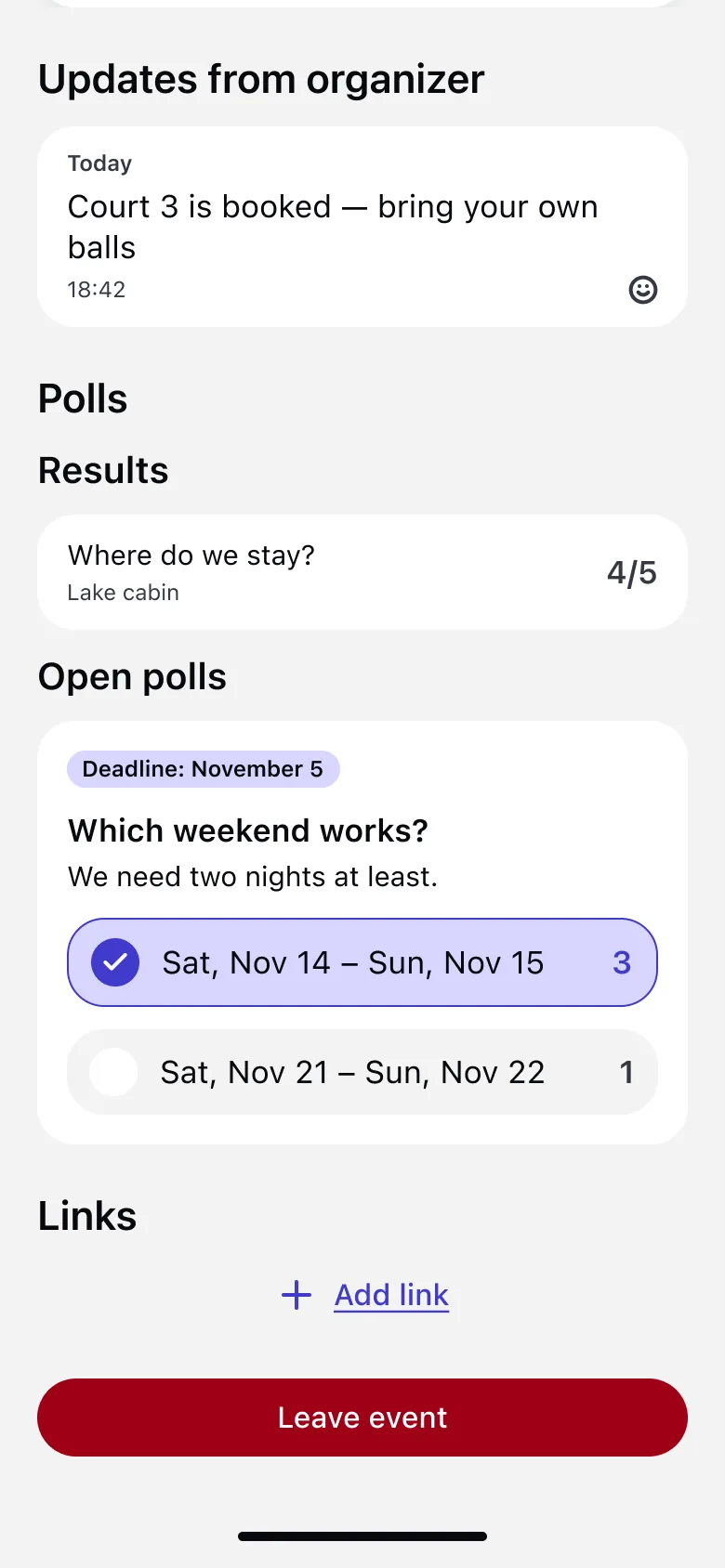
Confirm the winner and the whole group gets the plan, with a reminder 24 h before.
04
Notifications, a calendar with every plan and plans that repeat on their own with Pro.
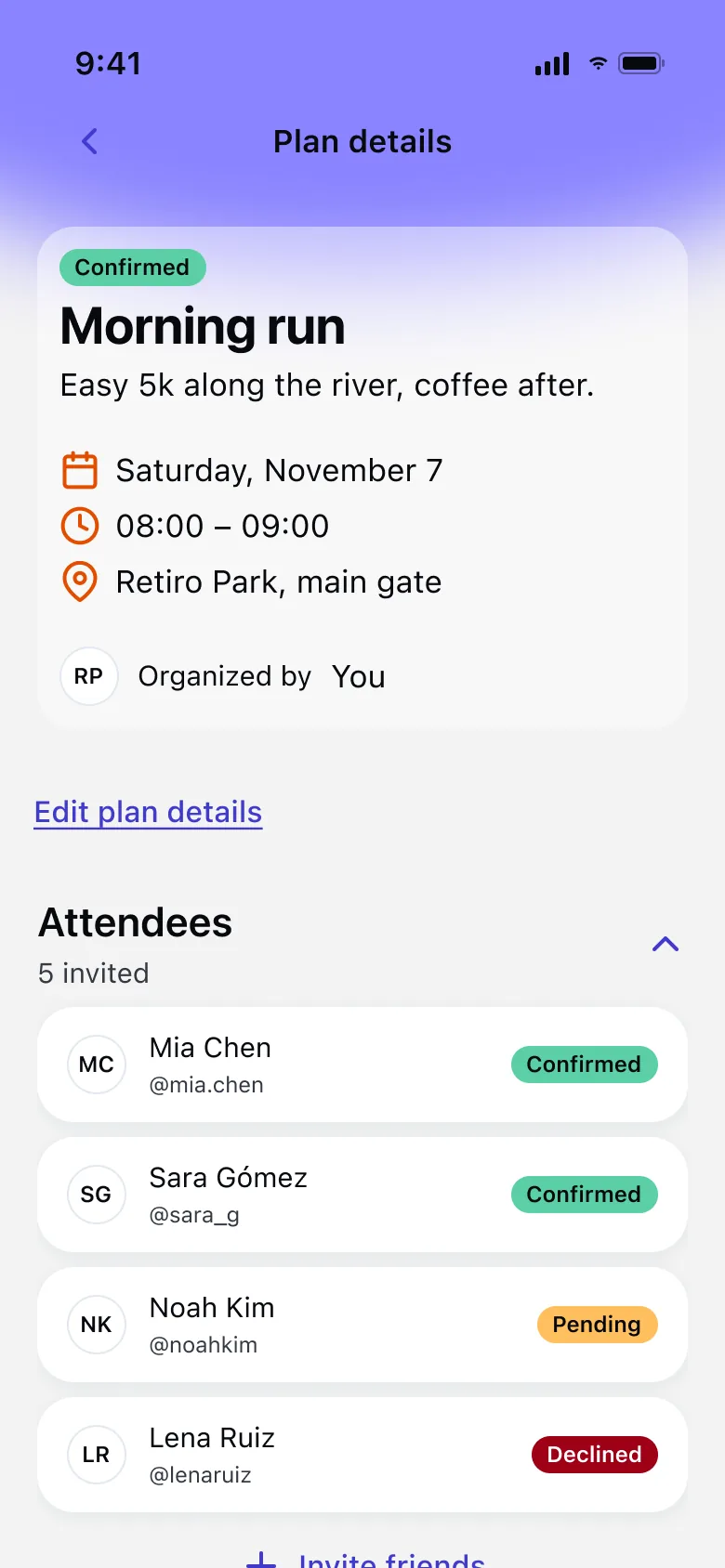
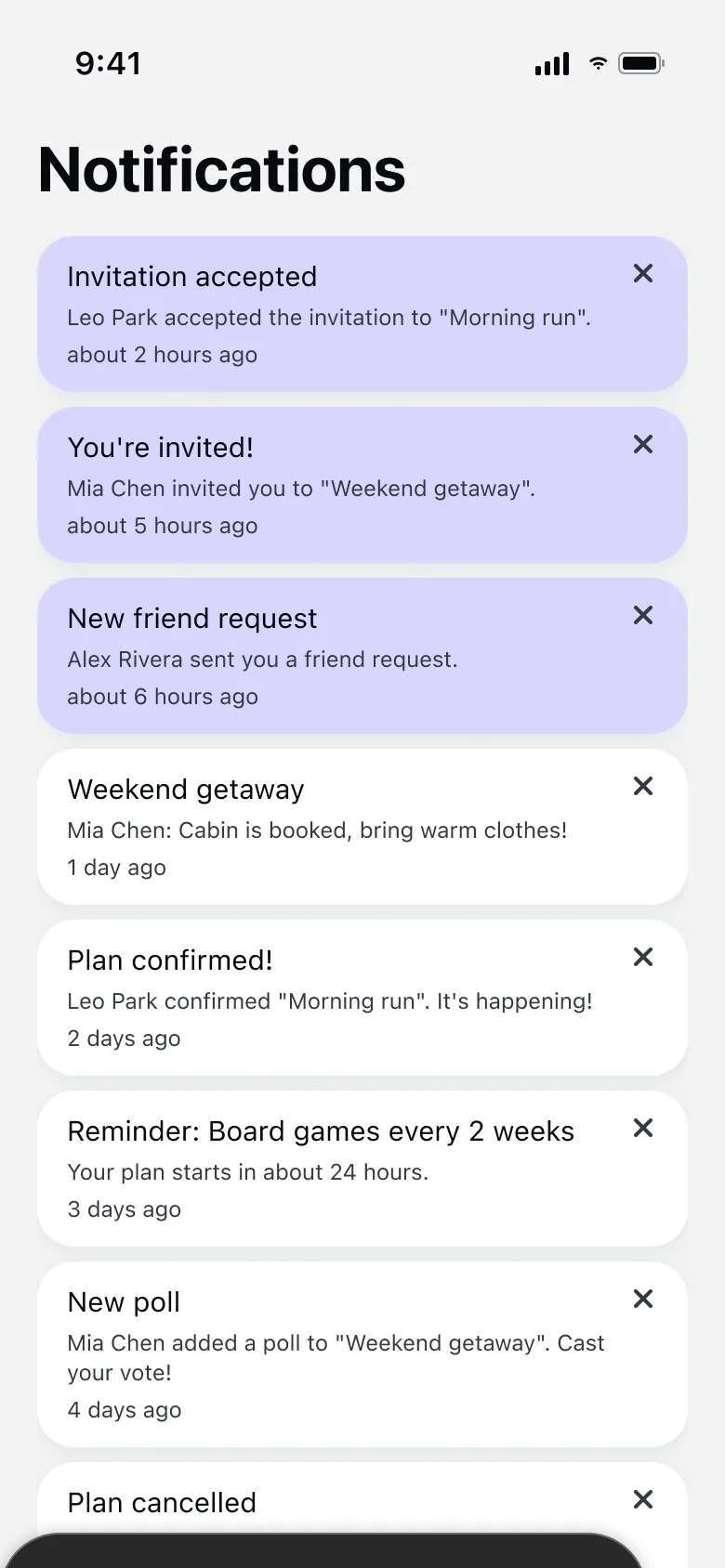
Invites, votes and updates from the organizer, all in your notifications.
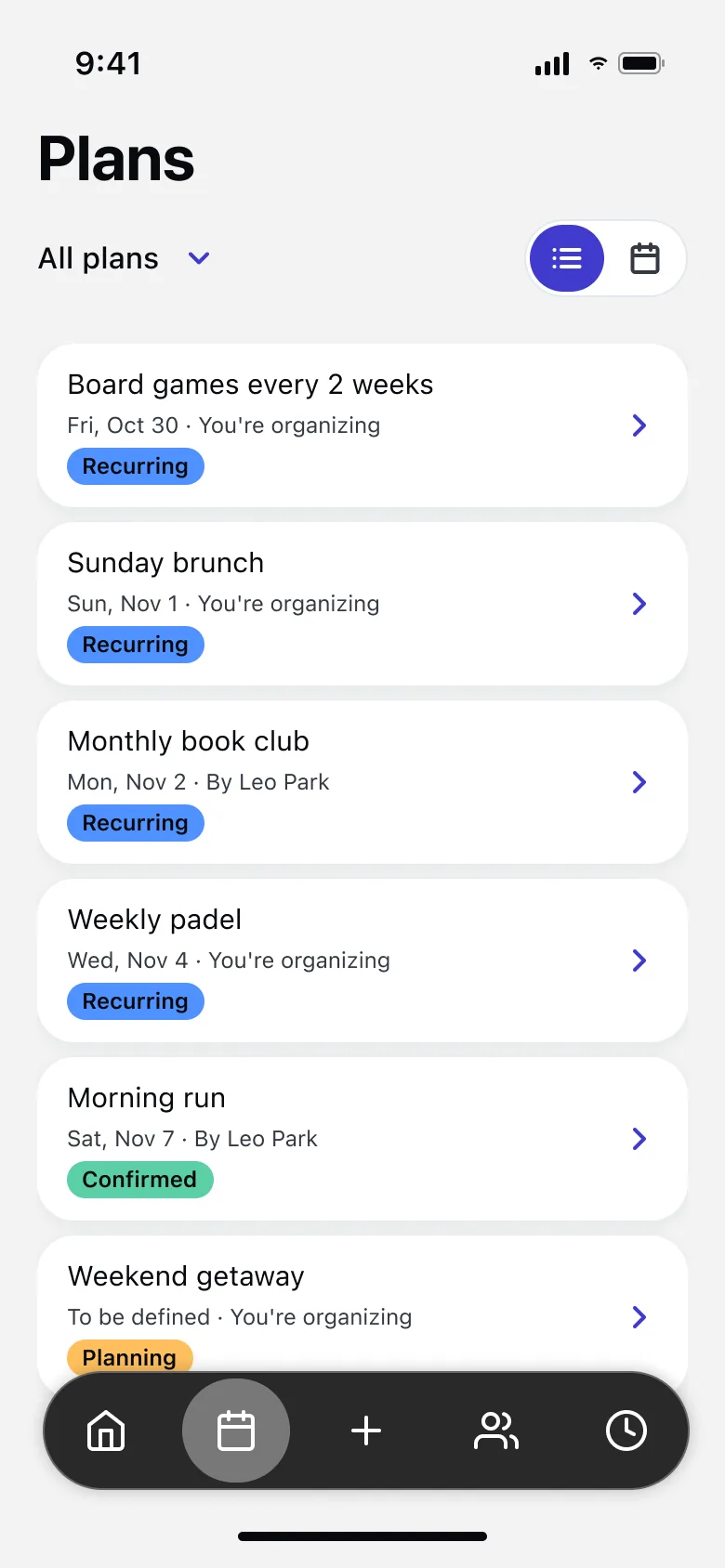
Every plan in one place: as a list or on a calendar, confirmed or still planning.
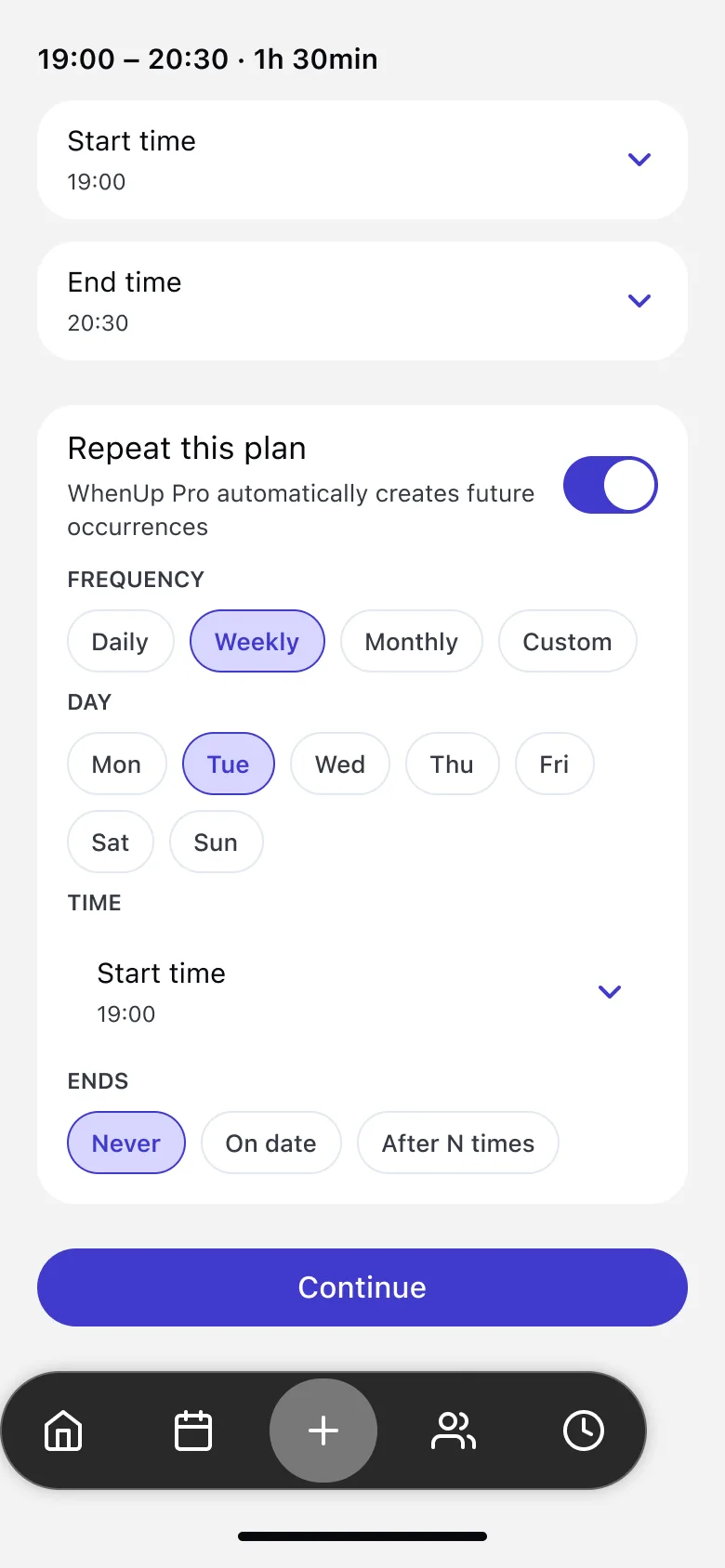
Weekly padel or a monthly book club: set the plan once and it repeats.
An app for making plans with friends. You share when you’re free, see when your friends are, and turn the best time into a plan everyone can make, without the endless group chat.
Yes. Sharing your availability, creating plans, inviting friends and voting are free, with groups of up to 20 people. WhenUp Pro adds recurring plans and groups of up to 100 people.
WhenUp is available on iPhone. Android isn’t available yet.
To share availability and vote, yes. You can send a plan’s invite link to anyone: if they have WhenUp it opens the plan, and if not they can get the app and open the link again.
With Auto vote, WhenUp crosses the availability you and your invitees have set and suggests up to 4 time slots where the most people are free, soonest first. It works best when everyone keeps their availability up to date.
Yes. Set a fixed date, add up to 5 date options for a manual vote, or create the plan now and decide the date later.
You can set a response deadline. People who haven’t accepted or declined by then are removed from the plan. They get a reminder the day before.
If reminders are on, everyone gets a notification 24 hours before the plan. You’re also notified about invites, votes and updates from the organizer.
With WhenUp Pro you can repeat a plan daily, weekly, monthly or on a custom schedule, and still change or cancel a single session.
You choose. “Visible to friends” lets your accepted friends see when you’re free. “Only me” keeps it private, and you can share a link for a period you pick; it stops working when that period ends.
Other WhenUp users can find you by name or username, but only your friends see your availability, and you can block anyone at any time.
Open their profile, tap “…” and choose “Report user”. You can block them at the same time: they won’t be able to find you, invite you or see your availability. We review reports within 24 hours.
In the European Union, encrypted in transit and at rest. We never sell your data. The privacy policy explains everything we collect and why.
In the app, go to Profile → Delete account. Your profile, availability, friends and plan memberships are deleted. If you organize a plan, another attendee becomes the organizer.
Pro is a subscription managed by Apple. Cancel it anytime in your iPhone Settings → your name → Subscriptions; you keep Pro until the end of the period you paid for.
No. WhenUp has its own calendar with your plans and free time, built for planning with groups.