WhenUp Pro

More plans.
More people.

WhenUp is free for everyday plans. Pro is for the groups that meet every week, or meet big.

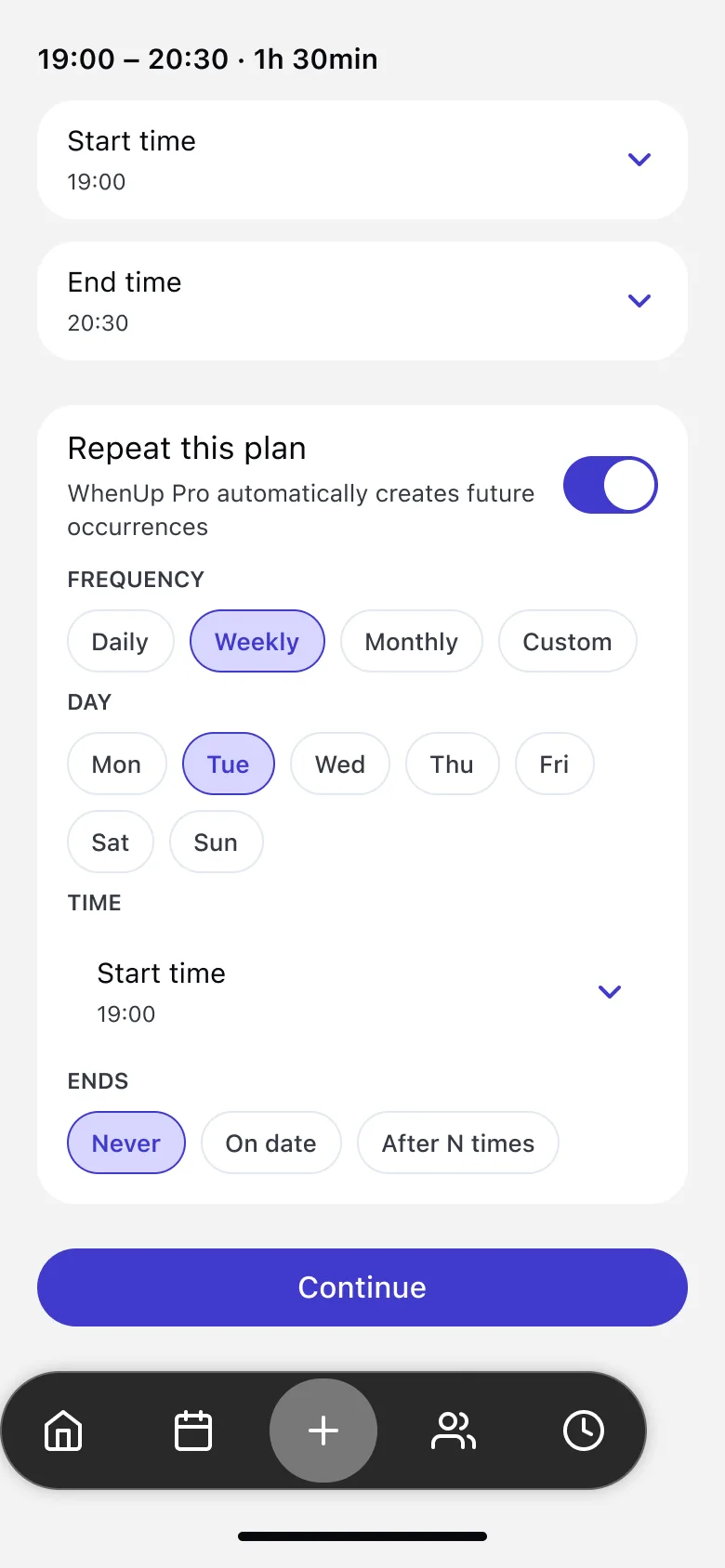
Repeat this plan: daily, weekly, monthly or custom

Pick the plan that fits your group

Free

€0

Forever, no card needed

Everything you need for everyday plans with friends.

  • Unlimited plans
  • Share your availability
  • Fixed date, manual vote or auto vote
  • Invite links for anyone
  • Groups of up to 20 people
  • Reminders and updates from the organizer
Get WhenUp for free

WhenUp Pro For big and regular groups

See price in the app

Price and billing period shown in the app before you subscribe

For groups that meet every week, or meet big.

  • Everything in Free
  • Recurring plans: daily, weekly, monthly or custom
  • Change or skip a single session
  • Groups of up to 100 people
  • Only the organizer needs Pro
Get WhenUp Pro

Recurring plans

Set it once. It repeats.

Weekly padel, a monthly book club, Sunday brunch. Create the plan once and WhenUp keeps the next sessions coming.

  • Daily, weekly, monthly or a custom rhythm
  • Pick the days and when it ends
  • Change or skip one session without touching the rest
Repeat settings for a plan

Bigger groups

Room for the whole crew.

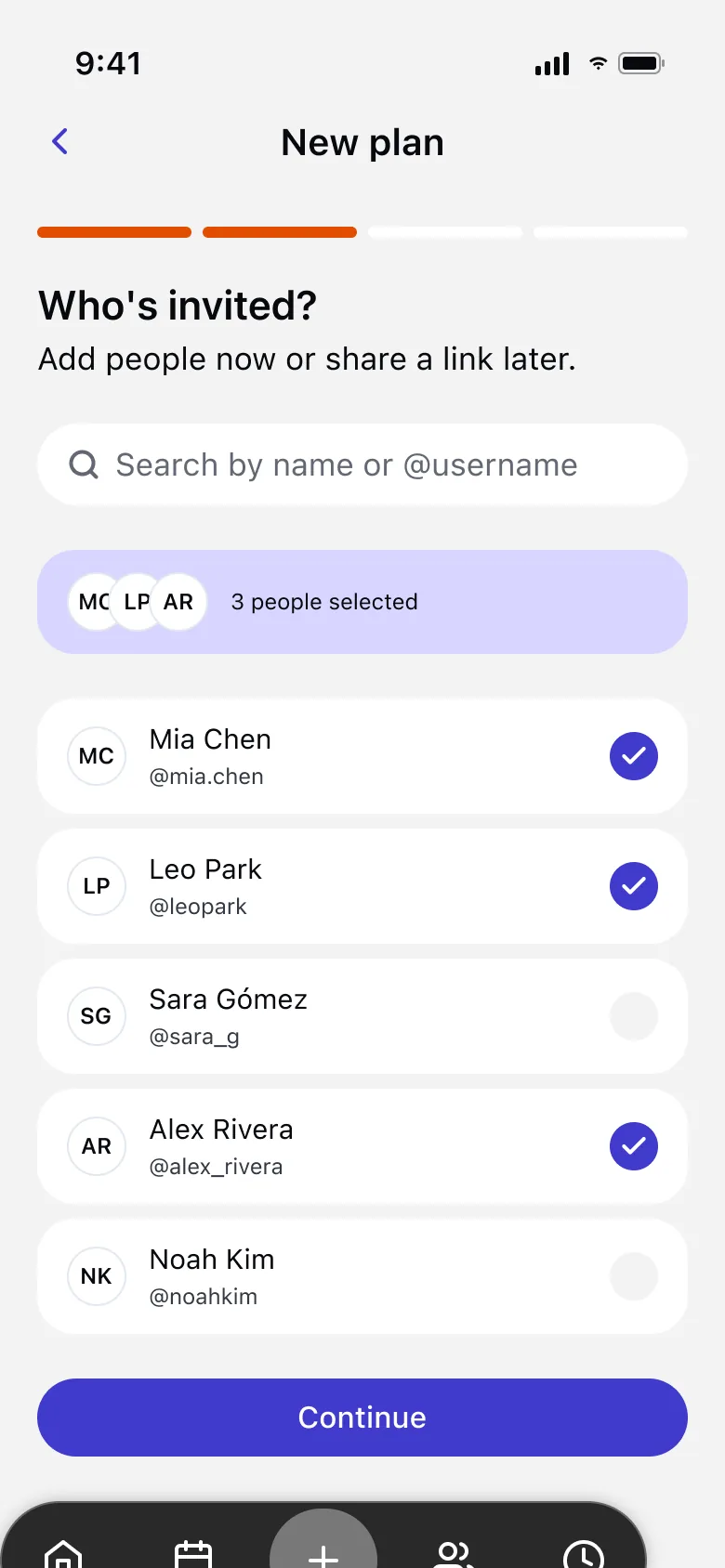
Birthdays, team dinners, the class reunion. With Pro your plans can have up to 100 people, you included.

  • Up to 100 people per plan
  • Invite friends or share one link
  • Everyone else joins for free
Inviting a big group with Pro

How to get Pro

1

Open your Profile

In WhenUp, go to Profile and find Subscription.

2

Tap “Upgrade plan”

See the price and the billing period before you decide.

3

Confirm with Apple

Pay with your Apple ID. Pro is ready right away.

About your subscription

  • WhenUp Pro is an auto renewable subscription. The price and billing period are shown in the app before you buy.
  • Payment is charged to your Apple ID when you confirm the purchase.
  • The subscription renews automatically unless you turn it off at least 24 hours before the end of the current period. Your account is charged for the renewal within the 24 hours before the period ends.
  • You can manage or cancel it anytime in WhenUp (Profile → Manage subscription) or in your iPhone Settings → your name → Subscriptions. You keep Pro until the end of the period you paid for.

Questions about Pro

Do my friends need Pro too?

No. Only the organizer needs Pro to create recurring plans or plans with more than 20 people. Everyone else joins for free.

Can I cancel anytime?

Yes. Cancel in WhenUp (Profile → Manage subscription) or in your iPhone Settings → your name → Subscriptions. You keep Pro until the end of the period you paid for.

What do I keep on the Free plan?

Everything in Free stays free: unlimited plans, your availability, votes, invite links, reminders and groups of up to 20 people.

Is Pro available on Android?

WhenUp is available on iPhone. Android isn’t available yet.

Make plans happen.

Get WhenUp, it’s free
Confirmed Planning Recurring 4 going